Industrial Scale Models with LED Displays: What Does the Combination Add?
Industrial scale models are a familiar sight at trade shows and in showrooms. They let visitors examine a product that may be too large, complex or impractical to bring into the space. A well-made model can show its overall form and many of its visible details.

Yet the model usually shows only one part of the story: the equipment itself.
Visitors may also need to understand where that equipment is used, what surrounds it and how it relates to a wider system. These questions are often answered with separate videos, wall graphics or a lengthy explanation from the sales team. Combining a physical model with an LED display base offers another way to bring those parts of the story together.
The model and the screen have different roles
A physical model helps visitors inspect the product. They can walk around it, see its shape from different angles and point to details they want to discuss. For industrial equipment, this gives a conversation a clear starting point.
The screen can provide context that is difficult to build into the model itself. Depending on the project, it may show an application environment, other equipment in the system, or a visual explanation of how the product fits into that environment.
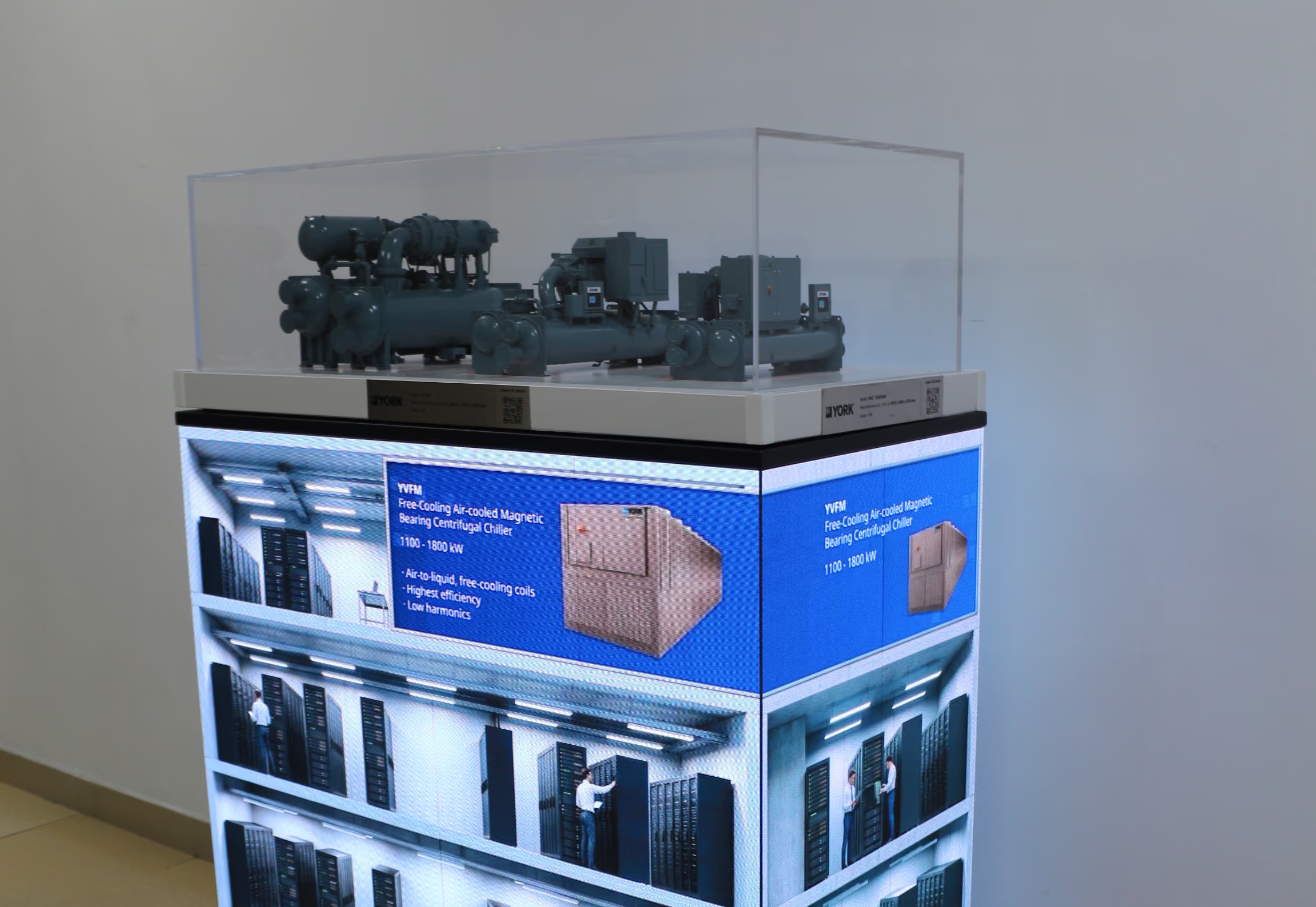
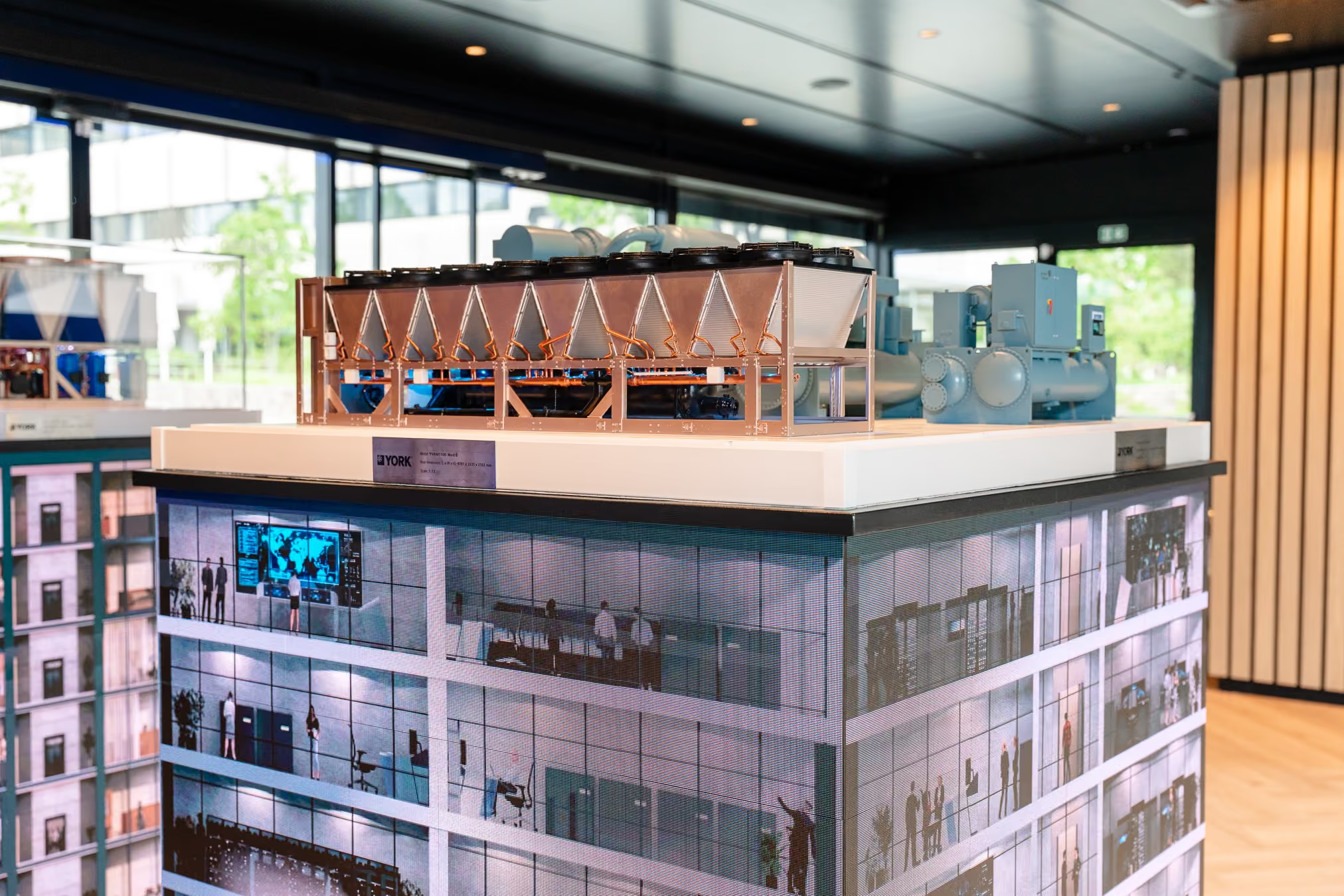
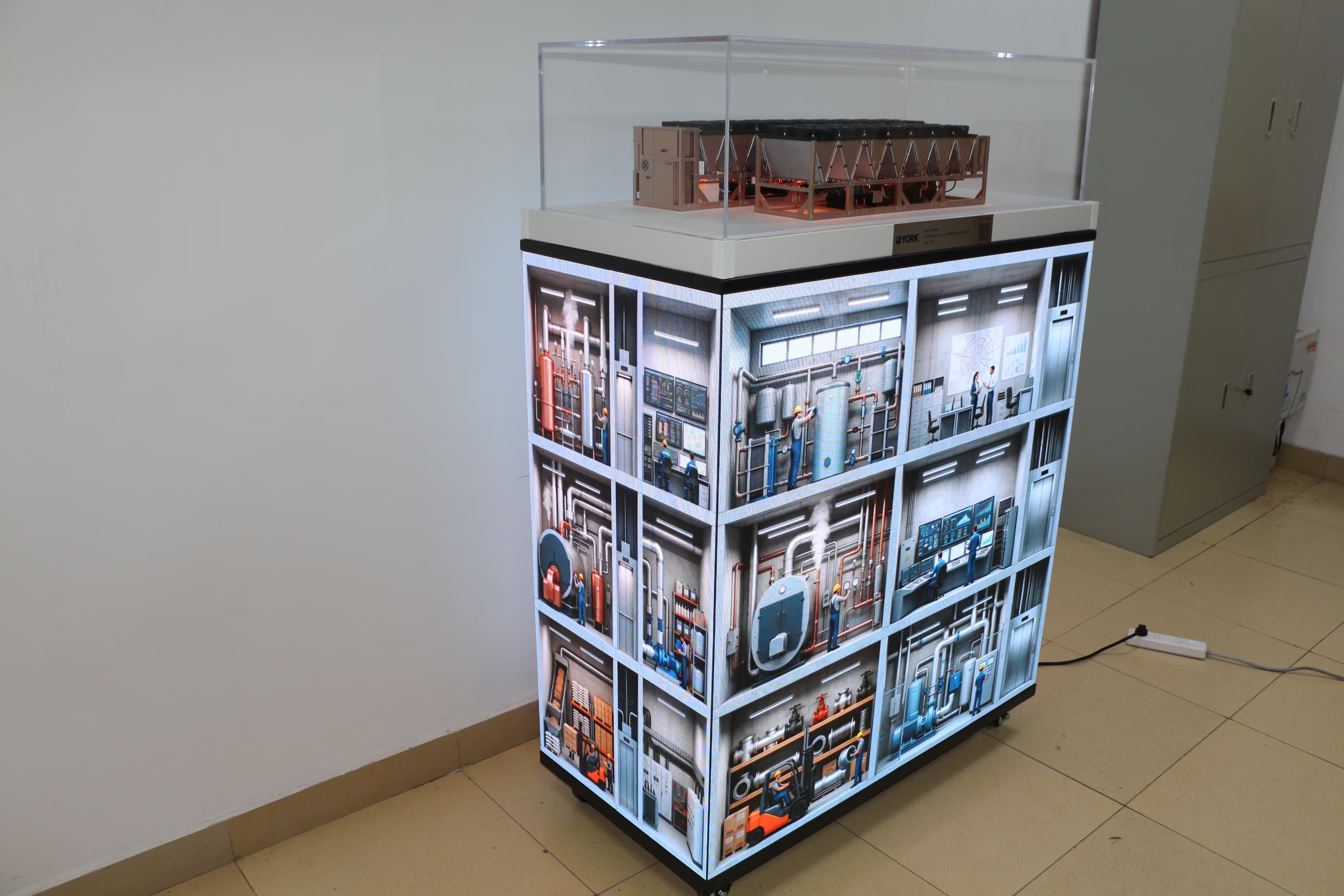
In one of our exhibit projects, physical equipment models were positioned above a four-sided LED base. The screens presented different application settings around the display. A visitor could look at the model and then see the kinds of places in which the equipment is discussed or used.
This arrangement lets the salesperson move between two questions: “What is the product?” and “How does it fit into the customer’s application?” Neither part has to carry the entire explanation on its own.

Why use a four-sided display?
At an exhibition, visitors do not always approach from the front. Some notice an exhibit while passing an aisle; others first see it from the side. A four-sided display gives the content more visible surfaces around the physical model.
That does not mean every side should carry a different, detailed presentation. The first task is to make the display understandable from the positions where visitors are most likely to see it. The content can then give them a reason to step closer and ask questions.
For this reason, screen planning should start with the visitor’s view, rather than with a list of everything the company wants to say. Which part of the model will they see first? What can they understand without assistance? What information should the screen add at that moment?
These decisions also affect the relationship between the model and the content. If the screens show a building application but the visitor cannot tell how the equipment above relates to it, the two elements will feel disconnected despite being assembled into one exhibit.
One exhibit can support different conversations
Industrial exhibitions bring together people with different responsibilities. Some want to inspect the equipment. Others want a quick understanding of the application before discussing technical details.
The physical model and the screen give these visitors different entry points. A technical discussion might begin with a feature visible on the model and move to its place in the wider system. Another conversation might begin with an application on the screen and then turn to the equipment that supports it.
Screen content can also be planned around more than one application setting when that makes sense for the product and the event. The important point is to keep each explanation accurate and specific. Showing more settings is useful only when visitors can understand the connection between the equipment and each setting.
The integration needs to be planned
Putting a model on top of a display base is the final visible step. The work that makes the combination coherent starts earlier.
The teams responsible for the physical model, LED base and visual content need to agree on dimensions, placement and viewing angles. They also need a shared understanding of the story the finished exhibit should tell. A screen sequence that looks good on its own may be difficult to follow once it sits beneath a model. Similarly, a model may hide part of the display from an important viewing position.
These are practical questions, but they affect the visitor’s experience directly. An integrated exhibit works best when its physical and digital parts have been designed as one presentation.
Start with what the model cannot explain on its own
A screen is useful when it answers a question the physical model leaves open. That may be where a product is installed, what other systems it connects to, or why its role matters in a particular application.
For a company that already has an industrial scale model, the first step is therefore to watch someone unfamiliar with the product encounter it. What do they understand immediately? Where do they need help? Those gaps provide a better guide for screen content than simply adding more motion or information.
The goal is straightforward: help visitors connect the equipment they can see with the application they came to discuss.